Introduction
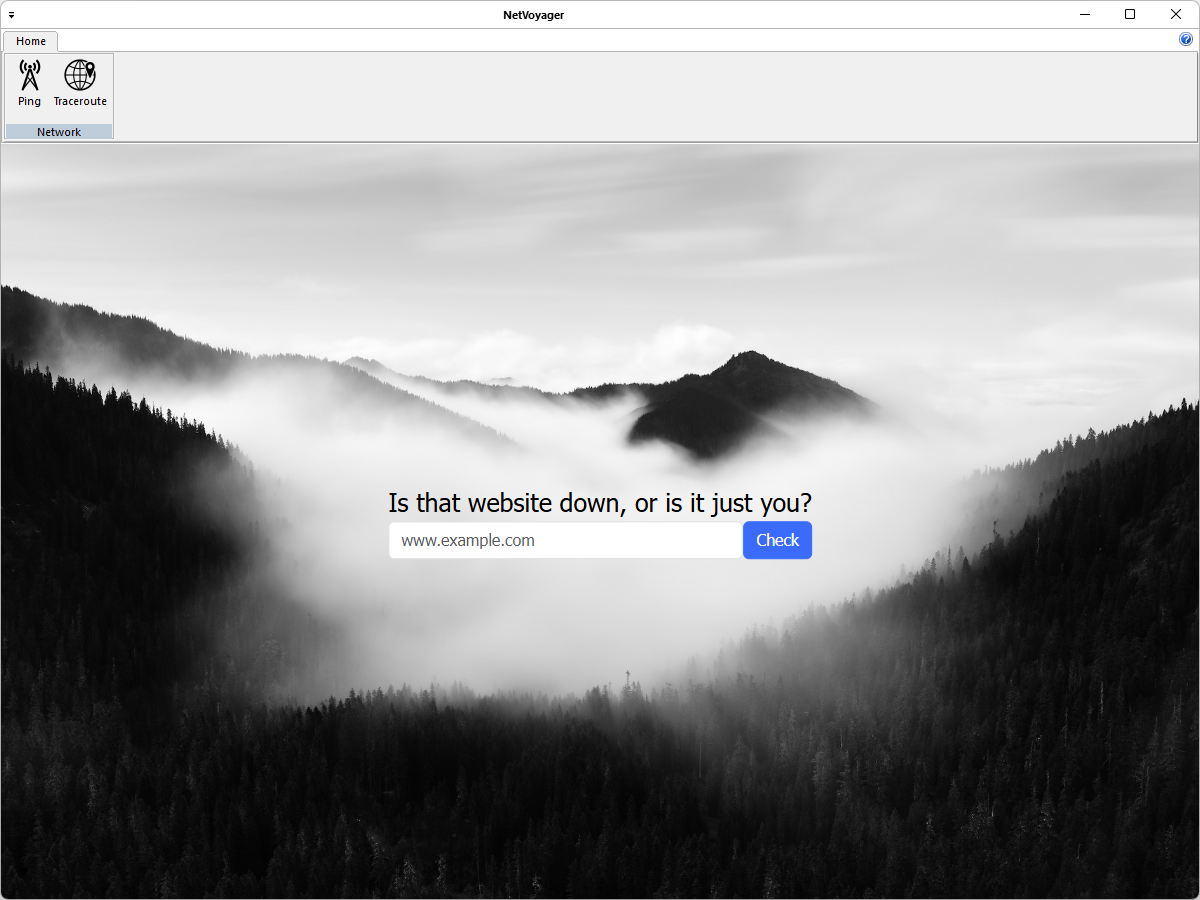
NetVoyager is a lightweight network diagnostics app that lets users quickly assess connectivity and trace routes. With built-in ping and traceroute tools, it helps identify latency issues, unreachable hosts, and visualize packet paths. Ideal for IT pros, engineers, and curious users, with a clean UI and real-time results. NetVoyager is written in C++ and uses pure Win32 API and STL which ensures a higher execution speed and smaller program size. By optimizing as many routines as possible without losing user friendliness, NetVoyager is trying to reduce the world carbon dioxide emissions. When using less CPU power, the PC can throttle down and reduce power consumption, resulting in a greener environment. I hope you enjoy NetVoyager as much as I enjoy coding it!
Getting started
Install NetVoyager using the installer
- Download the installer
- Run the executable binary and follow the installation flow
The installer will likely require Administrative privileges in order to install NetVoyager (and later, to update NetVoyager or install or update plugins, or anything else that requires writing to the installation directory). If you do not have Administrative privileges, you either need to tell the installer to use a location where you do have write permission (though that may still ask for Administrator privileges), or you may choose not use the installer and instead run a portable edition from a directory where you have write permission.
Install NetVoyager from zip
These instructions will allow you to run a portable or mini-portable (also called “minimalist”), without requiring administrative privileges.
- Create a new folder somewhere that you have write-permission
- Unzip the content into the new folder
- Run NetVoyager from the new folder
The portable zip edition of NetVoyager can be removed by deleting the directory they came in. If you manually set up file associations or context-menu entries in the OS, it is your responsibility to remove them yourself.
Application’s menu
The NetVoyager menu features the application’s most important functions:
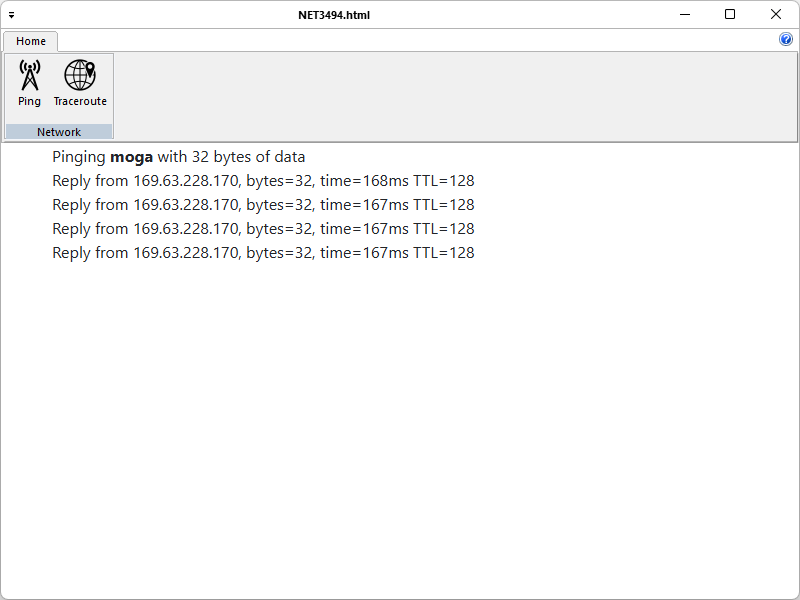
- Ping with live latency, packet loss, and summary stats.
NetVoyager-Ping
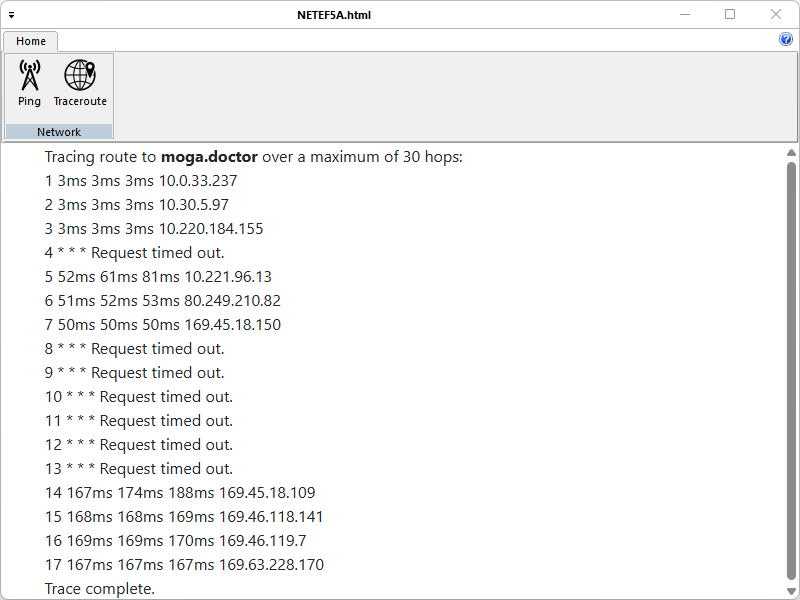
- Traceroute to visualize the path to any host and identify slow or unreachable hops.
NetVoyager-TraceRoute
Create and Submit your Pull Request
As noted in the Contributing Rules for NetVoyager, all Pull Requests need to be attached to a issue on GitHub. So the first step is to create an issue which requests that the functionality be improved (if it was already there) or added (if it was not yet there); in your issue, be sure to explain that you have the functionality definition ready, and will be submitting a Pull Request. The second step is to use the GitHub interface to create the Pull Request from your fork into the main repository. The final step is to wait for and respond to feedback from the developers as needed, until such time as your PR is accepted or rejected.
Software Content Register
Release Name: NetVoyager
Description: NetVoyager is a lightweight network diagnostics app that lets users quickly assess connectivity and trace routes. With built-in ping and traceroute tools, it helps identify latency issues, unreachable hosts, and visualize packet paths. Ideal for IT pros, engineers, and curious users, with a clean UI and real-time results.
Outgoing License: GNU General Public License v3.0
Type of content: static/dynamic libraries, source code, binary
genUp4win
Desciption: Generic Updater for Windows written in C++, with no external dependency.
Version: 3.01
Home Page: https://github.com/mihaimoga/genUp4win
License: MIT
Format: source code, binary
CHLinkCtrl
Description: This class allows you to create a static control on a window or dialog which behaves similar to a hyperlink as seen on a web page. When the mouse moves over the text the cursor becomes a hand and when you click on the text the hyperlink is executed.
Version: 1.43
Home Page: https://www.naughter.com/hlinkctrl.html
License: Custom (PJ Naughter’s license)
Format: source code, binary
CPing
Description: This class supports the PING/ICMP protocol. ICMP for those not familiar with all the internet protocols is the protocol used to retrieve information about how IP packets are routed.
Version: 1.53
Home Page: https://www.naughter.com/ping.html
License: Custom (PJ Naughter’s license)
Format: source code, binary
CTraceRoute
Description: This class supports the trace route functionality similar to the &tracert& application included in Windows. Trace route is based upon the PING/ICMP protocol. ICMP for those not familiar with all the internet protocols is the protocol used to retrieve information about how IP packets are routed.
Version: 1.20
Home Page: https://www.naughter.com/tracer.html
License: Custom (PJ Naughter’s license)
Format: source code, binary
CVersionInfo
Description: This simple little class encapsulates the SDK calls which access version info from Win32 files. Most executables and DLL’s have a VS_VERSION_INFO resource associated with them and this class provides a simple C++ class to programmatically access this information.
Version: 1.13
Home Page: https://www.naughter.com/versioninfo.html
License: Custom (PJ Naughter’s license)
Format: source code, binary
PJ Naughter’s license: You are allowed to include the source code in any product (commercial, shareware, freeware or otherwise) when your product is released in binary form. You are allowed to modify the source code in any way you want except you cannot modify the copyright details at the top of each module. If you want to distribute source code with your application, then you are only allowed to distribute versions released by the author. This is to maintain a single distribution point for the source code.
History
- Version 1.00 (January 3rd, 2026): Initial release.
- Version 1.01 (Febraury 6th, 2026): This release focuses on quality improvements, including stability, performance, and usability enhancements. No major functional changes are included:
- Updated the embedded Microsoft Edge web browser to enhance security, improve performance, and ensure better compatibility across supported scenarios.
- Added a progress bar to enhance usability by clearly indicating when an operation is in progress and providing better feedback during system activity.
- Version 1.02 (May 30th, 2026):
- Updated the embedded web browser (Microsoft Edge).
- 2 new configuration features were introduced to improve how the system handles network connections and address representation:
- Resolve addresses to hostnames – converts IP addresses into readable domain names.
- Force using IPv6 – makes the system prefer or only use IPv6 connections.